Selected work / QuietDesk
The same desktop. Less visual noise
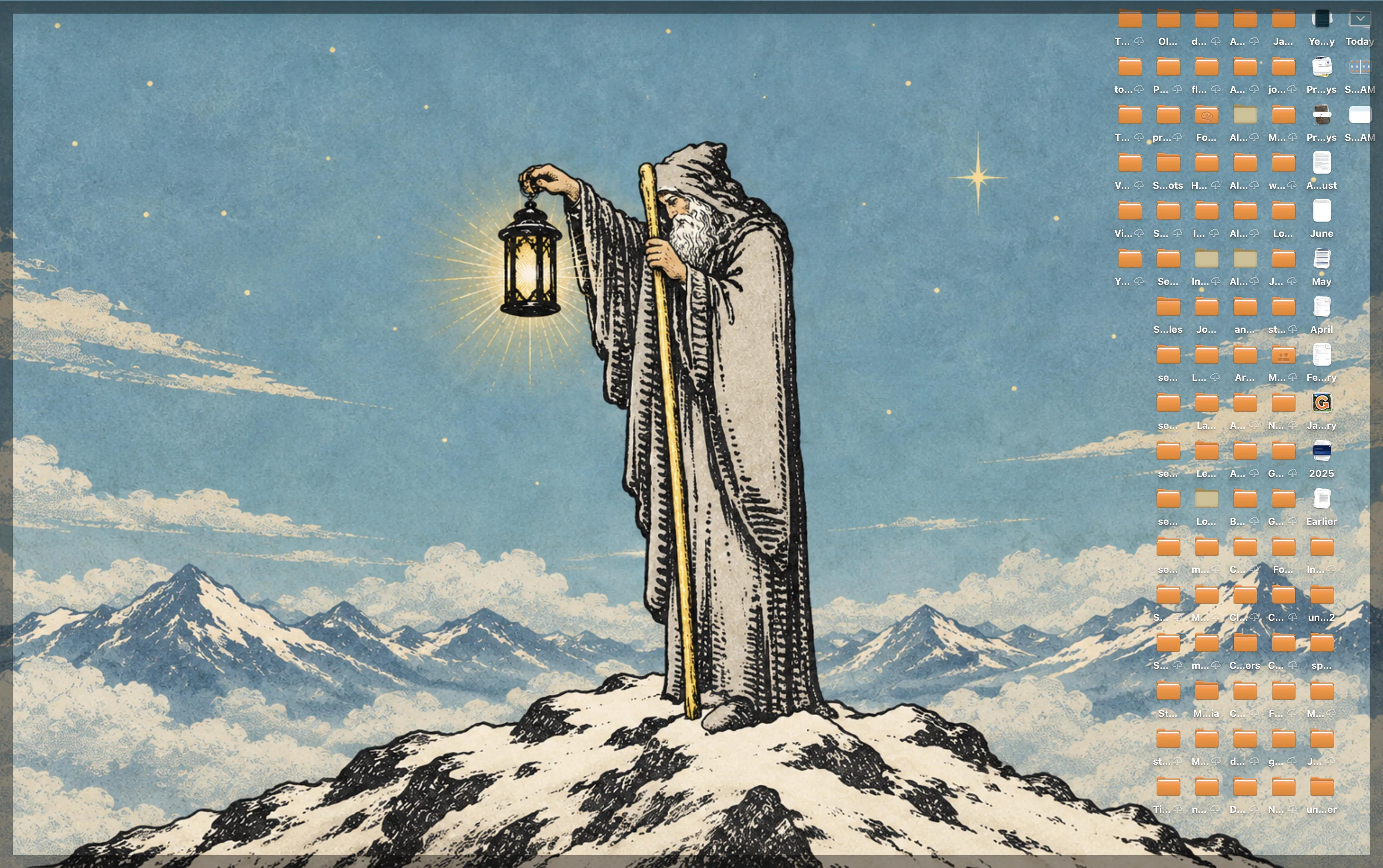
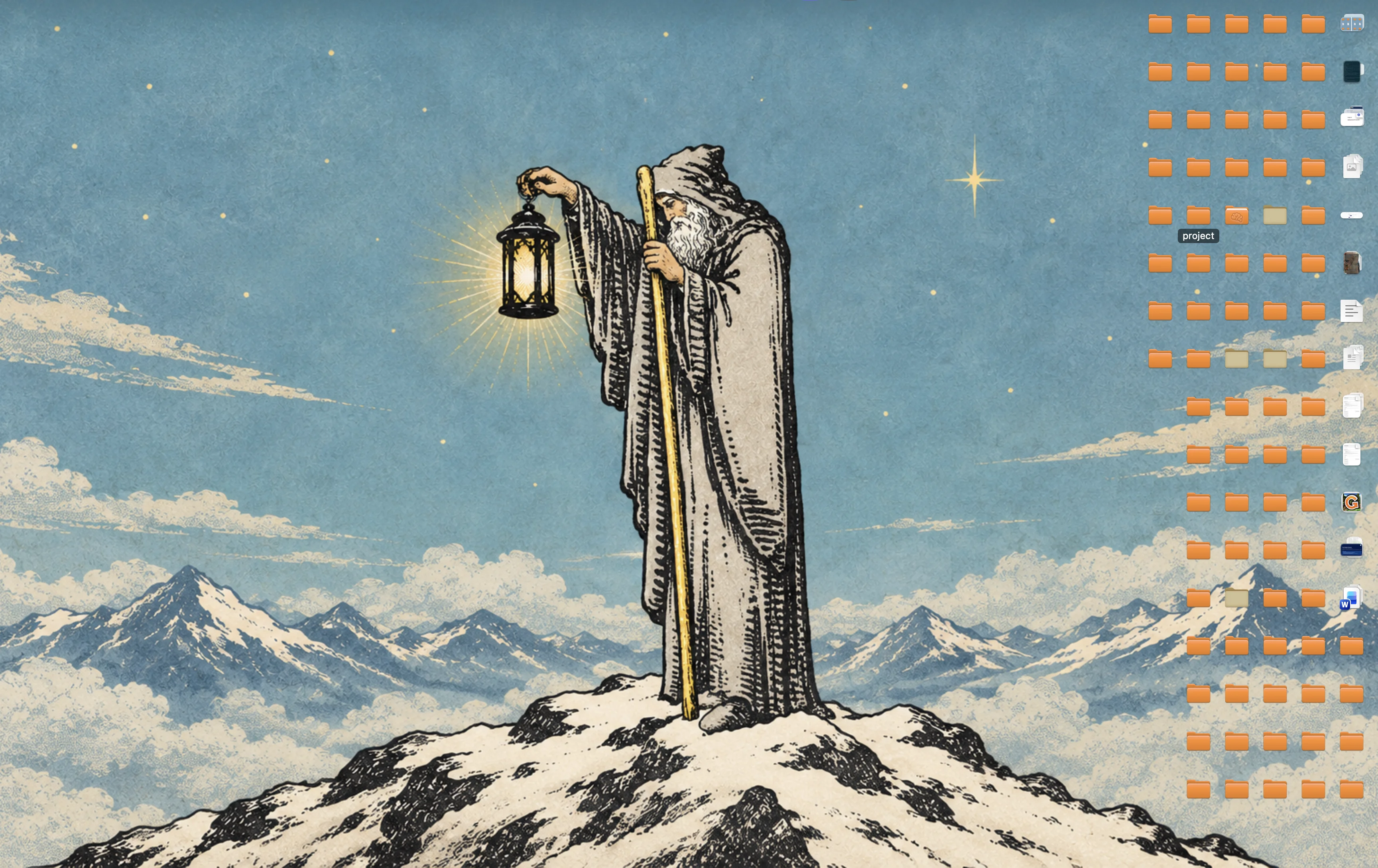
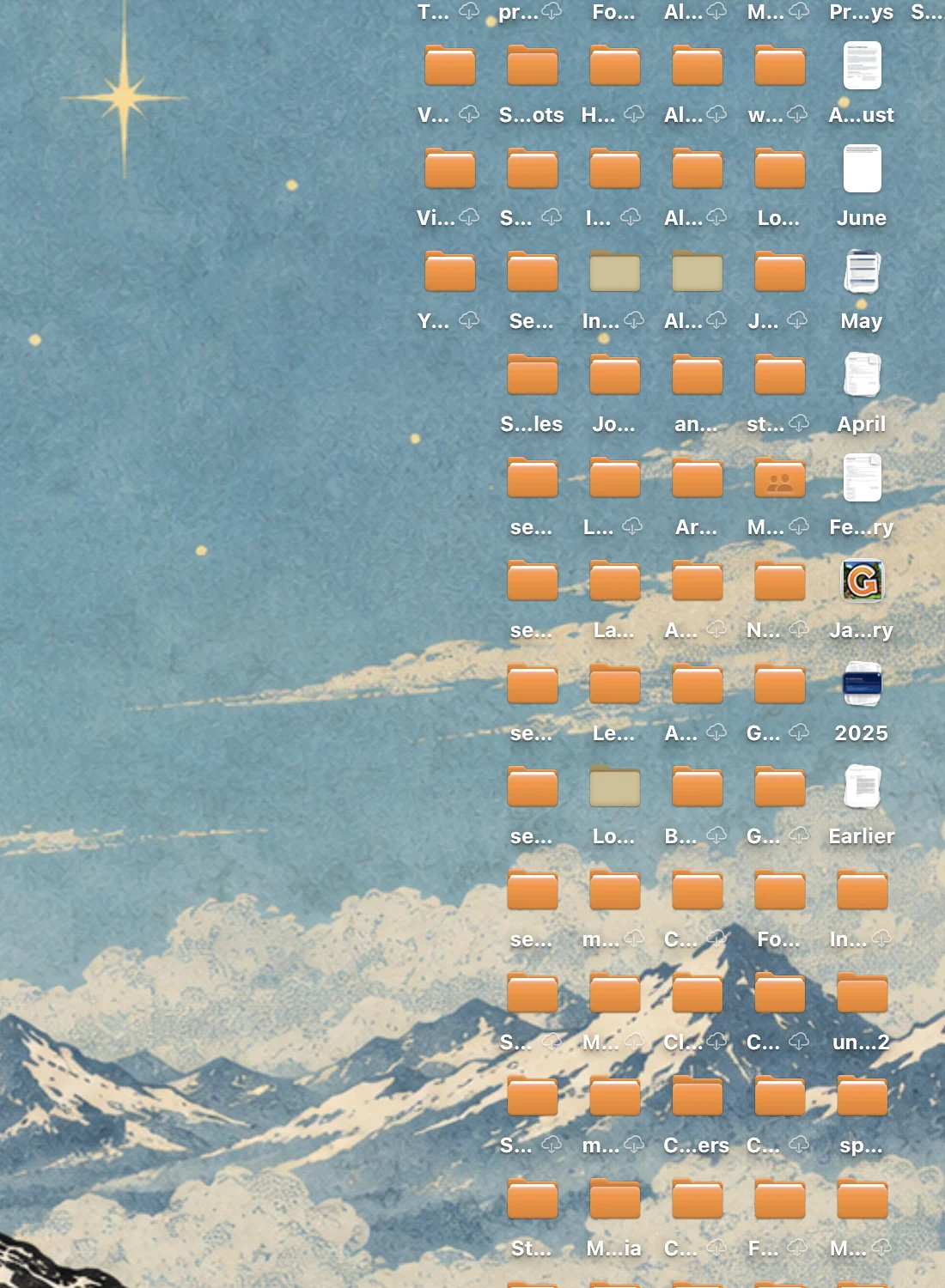
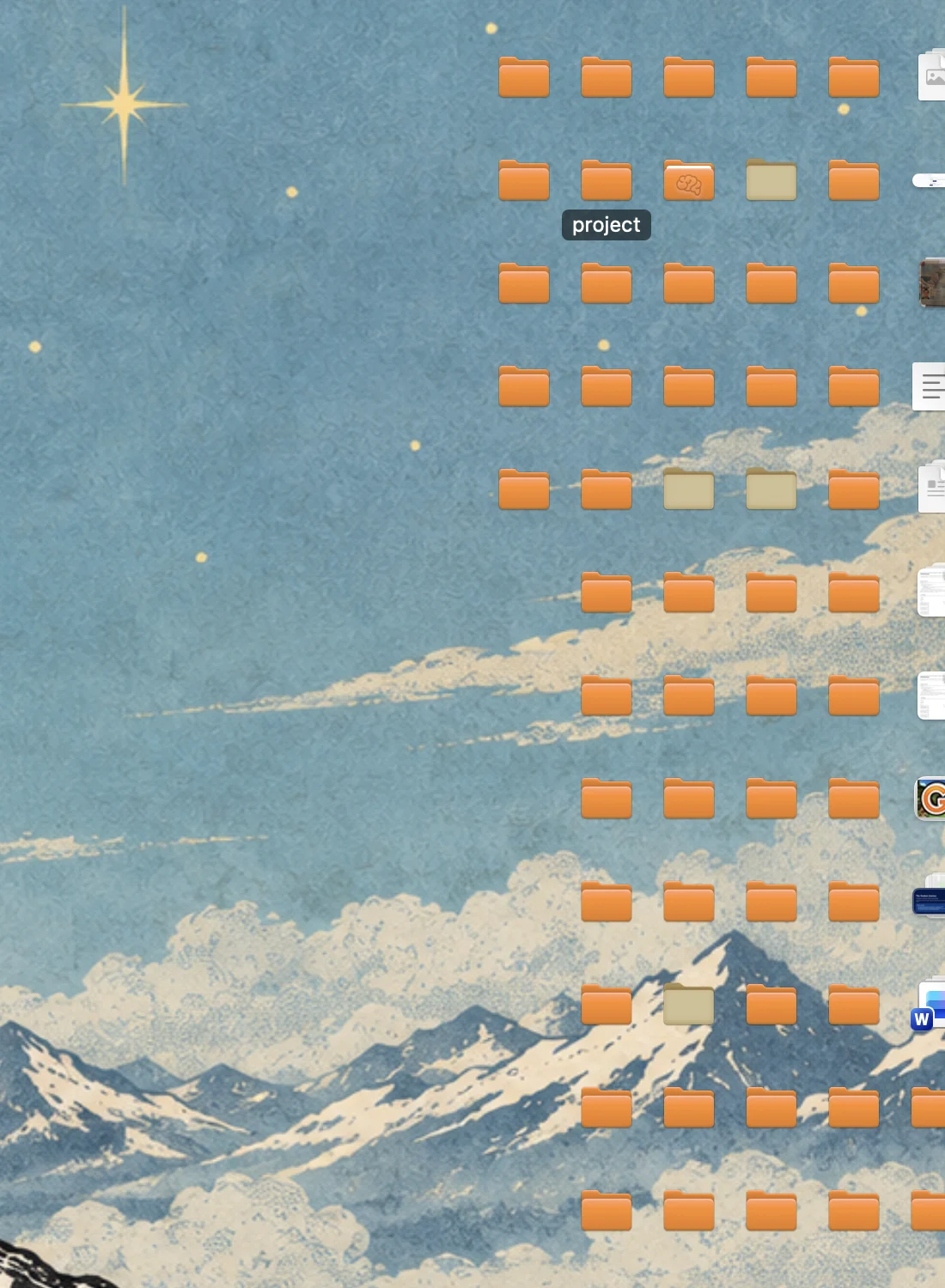
QuietDesk hides the names beneath Mac desktop icons and reveals a name when you point at or select an item. The files remain where they are.
A quieter surface
Watch the desk come into focus.
Move through three real desktop views: a clear wallpaper, a crowded field of files, then those same items with their names tucked away. Point at one and its name returns.

The interaction
Make the names disappear. Keep the desktop.
A closer look at the same files before and after QuietDesk hides their labels.
The controls
A calmer desktop, with familiar ways in.
QuietDesk lives in the menu bar and keeps desktop actions close at hand. These product screenshots show how much control sits behind the simple visual change.
Browse all original screenshots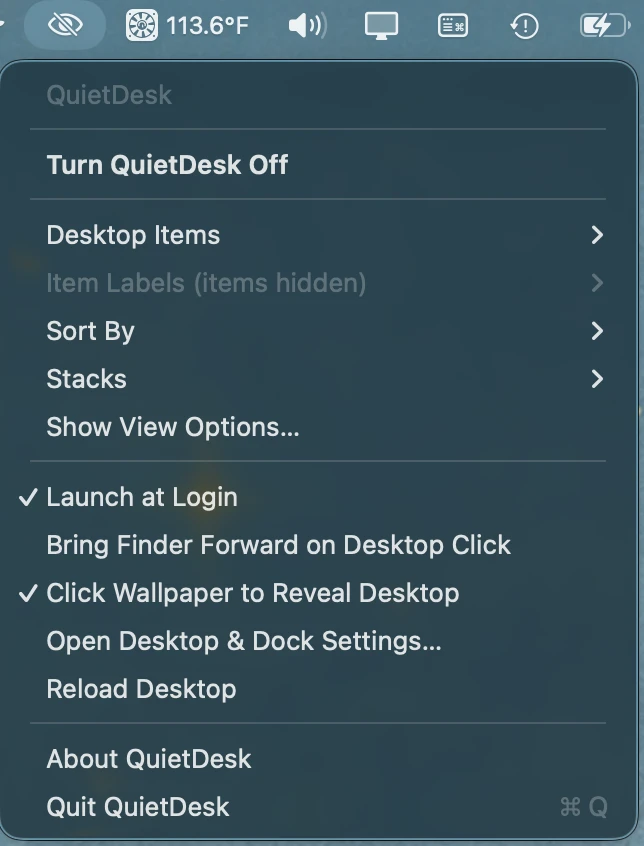
Choose your level of quiet.
Turn QuietDesk on or off, adjust items and labels, choose sorting or stacks, and reload the desktop from one place.
Open original PNG ↗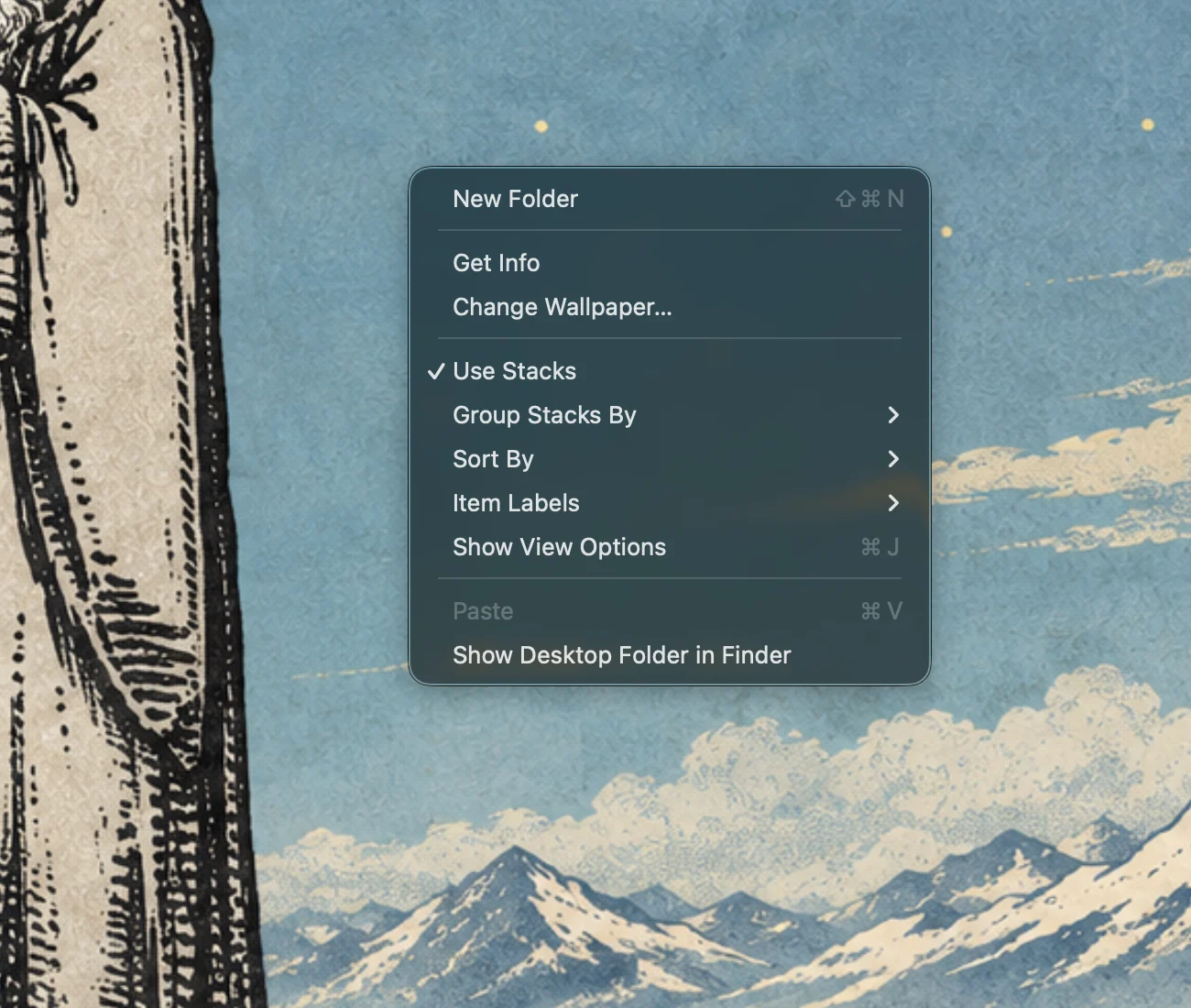
Keep the actions you expect.
Right-click the desktop for familiar file and view controls, including New Folder, Get Info, and a path back to Finder.
Open full original PNG ↗Beyond the screenshots
Built around the things a desktop must still do.
The public repository records the full feature inventory and the hands-on checks still in progress. The visual change is only one part of the product.
Read the full feature inventoryReveal only what matters
Names can be always visible, shown on hover or selection, or hidden. Keyboard focus and VoiceOver retain the item name.
Keep your arrangement
Finder sorting, manual positions, optional compact spacing, and Stacks support different ways of using the desktop.
Navigate as usual
Click, multi-select, rubber-band selection, arrow keys, and type-to-select remain part of the experience.
Do the real work
Open, rename, duplicate, tag, copy, move, trash, undo, Quick Look, and Get Info are documented in the build.
Drag across the Mac
Items can move between the desktop, Finder windows, the Dock, and other apps; incoming drops have their own handling.
Preserve useful signals
Icon previews, iCloud status marks, alias badges, label contrast, and accessibility names keep files identifiable.
Stay in the familiar places
Menu-bar settings, desktop right-click actions, View Options, and wallpaper reveal are available without a new dashboard.
Get Finder’s desktop back
Turning QuietDesk off or quitting restores native icons. The repository also documents crash recovery and known limitations.
Design constraints
A small change with a large surface area.
The product only feels simple when the familiar desktop keeps working.
Leave Finder’s model intact
Files are not renamed, moved, or changed. QuietDesk renders the desktop icons while enabled, preserving the expected actions around them.
Let users choose the amount of quiet
Labels can appear on hover, selection, or keyboard focus; they can also stay visible or remain hidden. The compact grid is optional.
Return safely to the native desktop
Turning the app off or quitting restores Finder’s normal desktop. The public case study documents the recovery behavior and known limitations.
Test the behavior, not just the image
The repository includes experiments, automated tests, scenario checks, and a manual validation checklist. Some manual validation remains open.
How it was made
Clear roles in an AI-assisted build.
I came up with the product, wrote its brief, decided what behavior mattered, directed the experiments and implementation, reviewed results, and tested the app. Claude wrote the Swift and AppKit source. The public case study and repository preserve the work behind those decisions.
That division is part of the engineering story. Direction, constraints, test cases, and acceptance decisions determine whether generated code becomes a reliable product. QuietDesk’s v1.0.1 release exists, while parts of its manual validation checklist remain in progress.
Read the source
QuietDesk on GitHub
The repository includes the brief, decisions, experiments, implementation, tests, and release notes.
Open repository ↗Build note
The decisions behind it
Why preserving native behavior was the real product challenge.
Read the note →